
Close every client's month without the late nights.
Tidy Ledger turns Claude, ChatGPT, Gemini or Grok into a second pair of hands for your bookkeeping practice. Onboard new clients properly, run a repeatable monthly close, track down reconciliation differences, set up a clean chart of accounts, write the client emails you keep putting off, and price your packages so every client pays for the time they take.
Get Tidy Ledger Bookkeeping Assistant for $12 Work out the fee
$12 once · card, Apple Pay or Google Pay · download in a minute
- One-time $12
- Instant email delivery
- 14-day refund
- Works in Claude, ChatGPT, Gemini and Grok
Monthly close: Harbor Cafe
Restaurant client · 2 bank and 2 card accounts · about 340 transactions
Close by the 10thCash basisFee: $575 a month
- ReconOperating account off by $270.00Divides by 9: look for $1,520 entered as $1,250Fix
- Review14 uncategorized transactionsGrouped into one question list for the clientAsk
- AR2 invoices over 60 daysFriendly reminder drafted for the owner to sendChase
- PayrollPayroll liabilities tie to the reportsWages, taxes and the bank matchDone
- ReportP&L and balance sheet with 3 notesPlain-English summary for the ownerSend
The practice work that eats your evenings
One skill, six jobs. Claude, ChatGPT, Gemini or Grok picks the right one from what you ask.
Client onboarding
Document request lists, access checklists, an engagement letter outline and a first-month plan.
Monthly close checklists
A repeatable close for each client: bank, cards, loans, payroll, AR, AP, review and reports.
Reconciliation troubleshooting
Step-by-step ways to find a difference: transpositions, wrong signs, duplicates, changed prior periods.
Chart of accounts setup
A clean, industry-fit chart of accounts with numbering, and a plan for cleaning up a messy one.
Client emails
Missing receipts, uncategorized questions, late documents, fee increases and saying no to scope creep.
Pricing packages
Monthly fees built from your real time, with tiers, a transaction range and catch-up pricing.
Ask it like you'd ask a sharp senior bookkeeper
It knows how a small practice closes the month and keeps clients happy.
Start here
- Opening balance: make sure October starts at September's reconciled ending balance. If not, something in a closed month was edited or deleted. Check the audit log.
- Transposed digits: $270.00 divides evenly by 9 ($30.00), the classic sign of swapped digits. Look for something like $1,520 entered as $1,250.
- Wrong sign: look for a $135.00 item recorded as a deposit instead of a payment, or the reverse.
- Missing or doubled item: search both sides for exactly $270.00.
If it's still off
Sort both lists by amount and tick them off in order, then check for a bank feed duplicate in the first and last days of the month. Don't post a plug entry; if you must close, park it in suspense with a note.
Example answer from the full skill. Your answers depend on what you ask.
Honest about where bookkeeping ends
You run the books. Tidy Ledger handles the checklists, the words and the math.
- Shows its workingEvery fee, difference and total comes with the math, so you can check it before it reaches a client.
- Your clients, your processIt builds on your software, your close calendar and your engagement terms.
- Not tax or legal adviceTax positions, filings, entity choice and worker classification go to a CPA or enrolled agent.
- Keep client data safePaste summaries, not account numbers or tax IDs. It reminds you to redact.
Up and running in two minutes
No app to learn and nothing to install on your computer. It lives inside Claude, ChatGPT, Gemini or Grok.
Buy once
Pay $12 by card, Apple Pay or Google Pay. Your download link arrives by email in about a minute.
Add it to Claude, ChatGPT, Gemini or Grok
Upload the ZIP under Skills in Claude, or the unzipped folder in Gemini. It takes about 30 seconds. In Grok, upload the ZIP, or paste the included paste-in file into a new skill. In ChatGPT, add the included paste-in file to a Project.
Just ask
"Write my monthly close checklist for a restaurant client." "My bank rec is off by $54." "Price a package for 400 transactions and 3 accounts."
Pick your app for the exact clicks
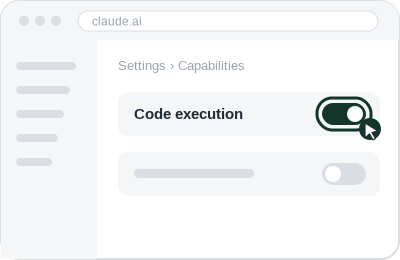
1In Settings, then Capabilities, turn on code execution.
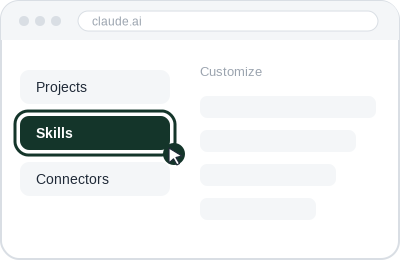
2Open Customize, then Skills.
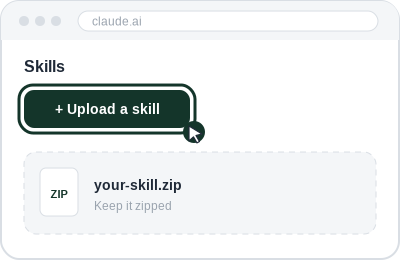
3Click +, choose Upload a skill, pick the ZIP. Keep it zipped.
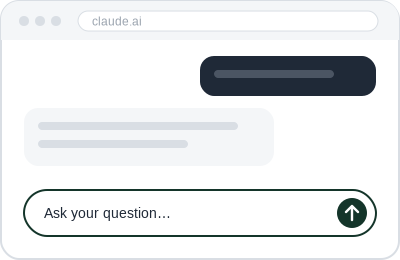
4Start a new chat and ask. Claude picks up the skill.
Works on every Claude plan, including the free one. Free plans have lower usage limits.
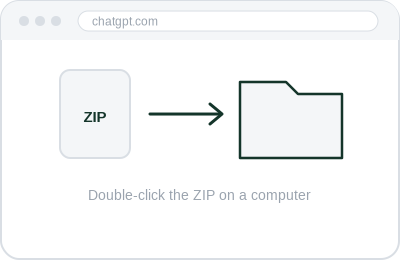
1On a computer, unzip the download and find ANY-AI-PASTE-VERSION.txt.
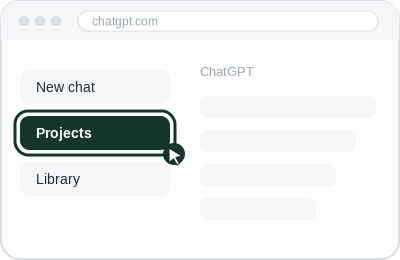
2In ChatGPT, open Projects and make a new project.
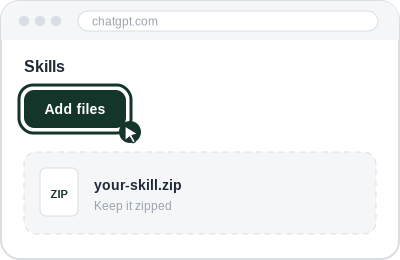
3Add the .txt file to the project. In its instructions, type: Follow the attached file.
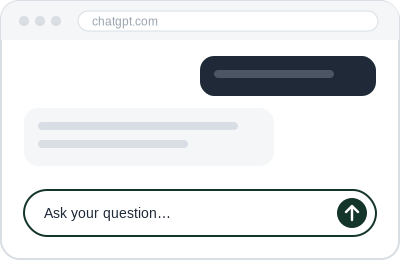
4Start a chat in that project and ask. On a Business, Enterprise or Edu plan, you can upload the ZIP under Skills instead.
Personal ChatGPT plans (Free, Plus, Pro) don't have a Skills page yet, so you use the paste-in version in a Project. On a Business, Enterprise or Edu plan, go to chatgpt.com/skills, choose Add, then Upload from your computer.
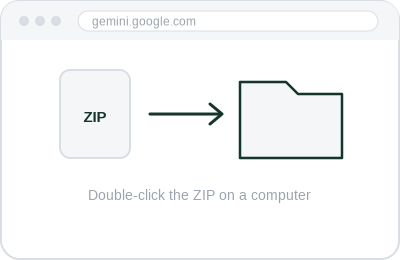
1On a computer, unzip the download. You get a folder.
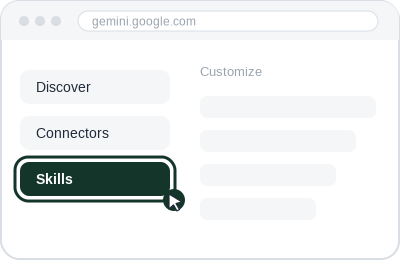
2At gemini.google.com, open Customize, then Skills.
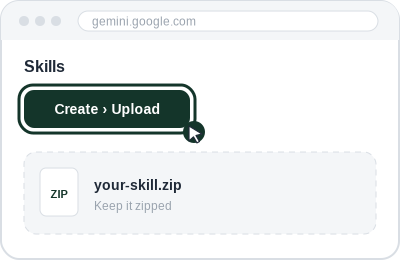
3Choose Create, then Upload, then folder. Pick the unzipped folder.
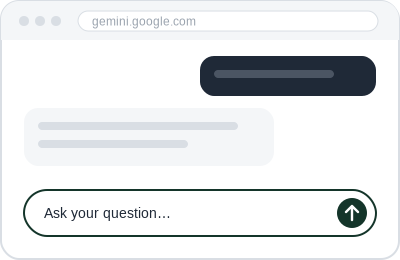
4Start a new chat and ask.
Gemini takes the unzipped folder, not the ZIP. Menus in Gemini change often, so names may differ slightly.
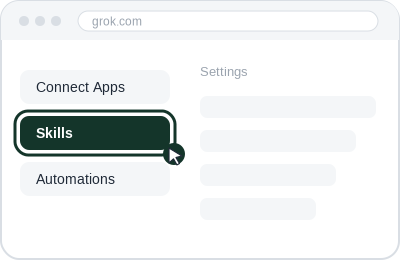
1At grok.com, open Settings, then Skills.
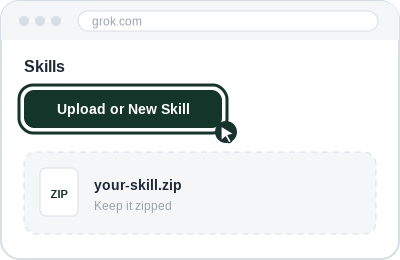
2If you see Upload, pick the ZIP. If you only see New Skill, use the next step.
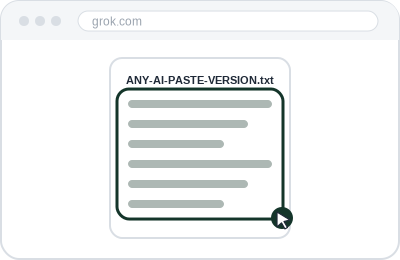
3New Skill: name it, then paste the text of ANY-AI-PASTE-VERSION.txt (below the line of equals signs) into Instructions.
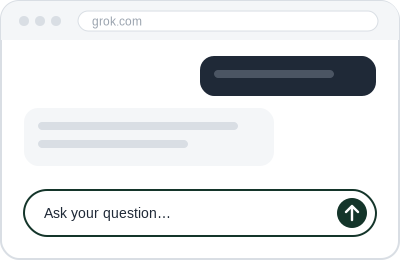
4Save it, start a new chat and ask.
Some Grok plans upload the ZIP; others show a New Skill form, where you paste the skill text in. Menus in Grok change often, so names may differ slightly.
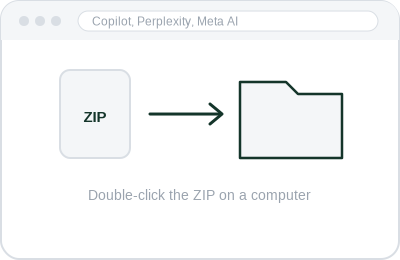
1No Skills page? Unzip the download on a computer.
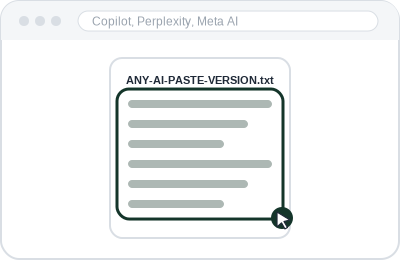
2Open ANY-AI-PASTE-VERSION.txt and copy everything.
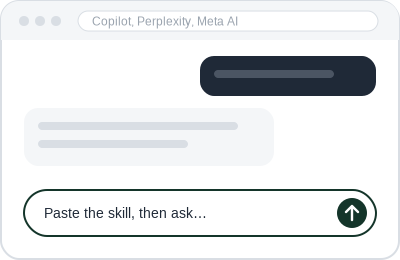
3Paste it into a new chat, then ask your question.
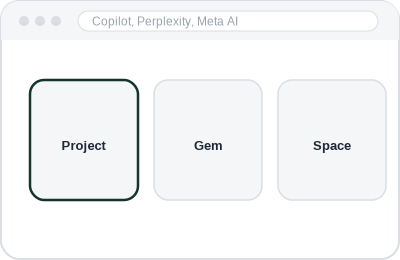
4To keep it on, add it to a ChatGPT Project, Gemini Gem or Perplexity Space.
Using Claude Code, Codex, Cursor or another coding agent? Unzip it into the skills folder, for example unzip tidy-ledger-bookkeeping-assistant.zip -d ~/.claude/skills/
On your phone? Go ahead and buy: the download link goes to your email and works for a year. Adding a skill is easiest from a computer, in a web browser or the desktop app, so open that email there when you're ready. Want to try it on your phone today? Open the ZIP, copy ANY-AI-PASTE-VERSION.txt into any chat app, and ask.
Start with the free Close Checklist
A small skill that builds a month-end close checklist for one client, in order, with what to check at each step and who to ask.
- Bank, card and loan reconciliations
- Payroll, AR and AP checks
- Review steps and the client question list
Get Tidy Ledger Bookkeeping Assistant
Pay once, use it for every client and every close. No subscription. Includes the free Close Checklist too.
How to add it
Upload the ZIP under Skills in Claude, or the unzipped folder in Gemini (in Grok, upload the ZIP or paste the paste-in file into a new skill; in ChatGPT, add it to a Project), then start a new chat and try: "New client: a 2-location coffee shop, QuickBooks Online, 2 bank accounts and 1 card, about 350 transactions a month, payroll through a payroll service. Write my onboarding checklist and the first email to the owner."
See the clicks for your app. Every download also comes with a paste-in version for any other chat, and a Start Here PDF.
Step-by-step guides with pictures: Claude · ChatGPT · Gemini · Grok
Tidy Ledger Bookkeeping Assistant
Onboarding, closes, reconciliations, chart of accounts, client emails and pricing.
$12 one time
- Client onboarding checklists and request lists
- Monthly close checklists by client type
- Reconciliation troubleshooting, step by step
- Chart of accounts setup and cleanup
- Client emails for every awkward situation
- Package pricing and fee increase letters
- Updates for a year
Card, Apple Pay or Google Pay through Stripe. Taxes calculated at checkout. 14-day refund.
Giving it as a gift? Buy it, forward the email, and print a gift card.
See a real answer from the full skill
You ask: Client's checking account won't reconcile for October. It's off by $270.00 and I've been staring at it for an hour.
Start here
- Opening balance: make sure October starts at September's reconciled ending balance. If not, something in a closed month was edited or deleted. Check the audit log.
- Transposed digits: $270.00 divides evenly by 9 ($30.00), the classic sign of swapped digits. Look for something like $1,520 entered as $1,250.
- Wrong sign: look for a $135.00 item recorded as a deposit instead of a payment, or the reverse.
- Missing or doubled item: search both sides for exactly $270.00.
If it's still off
Sort both lists by amount and tick them off in order, then check for a bank feed duplicate in the first and last days of the month. Don't post a plug entry; if you must close, park it in suspense with a note.
New to AI skills?
Tidy Ledger is a skill: a set of expert instructions you add to your own Claude, ChatGPT, Gemini or Grok account, so it answers like a senior bookkeeper who knows the craft.
- Using Gemini? Unzip it and upload the folder on its Skills page. Using Grok? Under Settings, Skills, upload the ZIP or paste the paste-in file into a new skill. Using ChatGPT? Add the included paste-in file to a Project.
- New to all of them? Claude is an AI assistant made by Anthropic. Make an account at claude.ai: skills work on every Claude plan, including the free one, with code execution turned on in Settings, Capabilities.
- Try the free Close Checklist skill first. If you like it, the full skill is one purchase.
Not ready for an AI app? The free bookkeeping package pricing calculator on this site works in any browser, no account needed.
Free bookkeeping practice tools
No sign-up, they run in your browser.
Made by Nic Hubert, What If Labs
I run What If Labs from British Columbia, Canada. I build each skill with AI help and test it on real questions, and a separate reviewer checks it before it goes on sale. If it doesn't do what this page says, email me at hello@whatiflabs.ai and I'll fix it or refund you.
No reviews yet: this store is new. Tell me how it went and I'll use it to make the skill better.
Questions
Which software does it work with?
QuickBooks Online and Desktop, Xero, Wave, FreshBooks, Zoho Books, Sage and others. Tell it what you use and it uses that software's terms. It doesn't log in to anything: you paste reports or numbers and copy the result back.
Can it do the client's taxes?
No. It helps keep books clean and ready for the tax preparer, and tells you when a question belongs with a CPA or enrolled agent.
Is it safe to paste client data?
Paste only what's needed: amounts, dates, payees and account names. Leave out account numbers, tax IDs and passwords. Check your AI tool's data settings and your engagement terms.
Can my team use it?
One purchase is for one person. Email us for a firm license.
What do I need to use it?
A Claude, ChatGPT, Gemini or Grok account. In Claude it works on any plan, including the free one, with code execution turned on (Settings, Capabilities). Free accounts have lower usage limits, so long planning sessions go further on a paid plan. It works in Claude on the web, the desktop app and Claude Code. In Gemini and Grok, upload it on the Skills page. In ChatGPT, personal plans (Free, Plus, Pro) don't have Skills yet, so you add the included paste-in file to a ChatGPT Project; Business, Enterprise and Edu plans can upload the ZIP under Skills. Coding agents that read SKILL.md files work too. Using Copilot, Perplexity, Meta AI or another chat with no Skills page? Every download includes a paste-in version (ANY-AI-PASTE-VERSION.txt) that works in any AI chat.
What if it doesn't work for me?
Email hello@whatiflabs.ai within 14 days of buying and we'll refund you in full. No forms, no questions.
How is this different from just asking an AI?
A general AI answer is often vague or skips steps. The skill gives your AI an expert's method: what to ask you first, the checklists and calculations to run, and the mistakes to warn you about. You get consistent, specific answers instead of a different guess each time.
Do I pay every month?
No. It's a one-time price, and updates to the skill are free.
Can I get a refund?
Yes. Every purchase comes with a 14-day refund, no questions asked. Reply to your receipt email and we'll take care of it.
What if it gets something wrong?
It shows its working, so you can check numbers and dates. Tell it what's off and it will correct itself. For anything where a mistake costs money or safety, double-check before you act, as you would with any advice.
Is my information private?
The skill runs inside your own Claude, ChatGPT, Gemini or Grok account, and we never see your chats. When you buy, Stripe handles the payment and we keep your email and order so we can send the download. The terms and privacy page has the details.